CI | CD
in-house pipelines
Cornerstone to every DevSecOps implementation is an extensive CI/CD experience for the developer. The Pendragon Lab makes a similar effort in providing a feature-rich pipeline workflow, using an on-site enterprise GitLab instance and CI runner.
Broadly, the two are accomplished like so :
-
Continuous Integration ( CI ) - Each project first runs a series of language-specific testing and validation jobs before it attempts to build Docker images, provided certain files exist to trigger the jobs. Those images are built in the
runnerand stored in a local Nexus Artifact Repository. -
Continuous Deployment ( CD ) - An instance of Docker Watchtower is deployed on each host constantly assessing the system Docker socket for containers which have updated images in Nexus. Once detected, it downloads the new image and stages a redeploy for the related container(s), deploying a new workload from the new image.
The philosophy in force here is that all a developer should ever have to do to deploy their code is to push a commit. Then some amount of time later, they're able to refresh their web app in a browser and see that change propogate with zero additional required input.
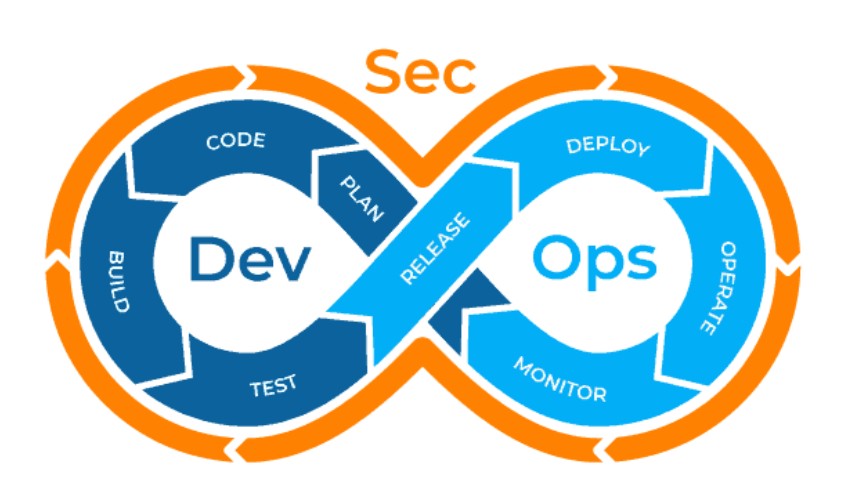
The DevSecOps workflow.
Moreover, they shouldn't even have to be conscious of the security practices in play as secure practices should already be so deeply interwoven into the texture of every process; it becomes an afterthought rather than a liability. In addition to a secure deployment system, each host in the lab exports container metric and log data to the lab's central elasticsearch instance, live streaming the data into a rich kibana dashboard for instant awareness.
In unison, these components form the full DevSecOps deployment lifecycle.
shared-cicd
Unique to this environment is a project which attempts to centralize many of the frequently used CI jobs, applicable for most workloads. shared-cicd is an elise project which is meant to be included by other project's .gitlab-ci.yml configuration. Specific jobs are triggered based on the existence of certain files within the project so that the user need not understand GitLab CI in order to utilize its complete feature set.
Just add this block to any project's .gitlab-ci.yml and refer to the below-listed workflow trigger files to import the CI workflow of your choosing or see the project README.
---
include:
  - project: elise/utils/shared-cicd
    ref: main
    file: .gitlab-ci.yml
workflows
These groups of CI jobs can be used by any elise project which possesses the following trigger files, relative to the project root directory :
NOTE : Only one workflow should be imported per project.
-
ansible- description : Executes Ansible linter, Builds in Docker, and then executes the project's
ansible/site.yml. - trigger file :
ansible/site.yml
- description : Executes Ansible linter, Builds in Docker, and then executes the project's
-
built-in- description : GitLab default testing jobs, runs for every pipeline.
- trigger file : Null
-
docs- description : Builds in Docker, can be used to trigger
playbook_siteas downstream pipeline. - trigger file :
mkdocs/mkdocs.yml
- description : Builds in Docker, can be used to trigger
-
python- description : Executes Python linter, Builds in Docker, can be used to trigger
playbook_siteas downstream pipeline. - trigger file :
src/*.py
- description : Executes Python linter, Builds in Docker, can be used to trigger
-
static- description : Builds in Docker, can be used to trigger
playbook_siteas downstream pipeline. - trigger file :
static/*/index.html
- description : Builds in Docker, can be used to trigger
-
terraform- description : Executes Terraform linter, Builds in Docker, and then executes the project's
terraform/environment. - trigger file :
terraform/modules/*/*.tf
- description : Executes Terraform linter, Builds in Docker, and then executes the project's
jobs
The following tables describe attributes for each CI job in shared-cicd.
-
stage : test
job name workflow description secret_detectionbuilt-in checks the project for exposed secrets semgrep-sastbuilt-in runs GitLab SAST report for vulnerabilities lint_ansibleansible runs Ansible linter lint_librariesansible runs Python linter on Ansible custom modules lint_pythonpython runs Python linter lint_terraformterraform runs Terraform linter -
stage : integrate
job name workflow description build_ansibleansible Builds Ansible in Docker and stores image in Nexus build_docsdocs Builds Mkdocs in Docker and stores image in Nexus build_pythonpython Builds Python in Docker and stores image in Nexus build_staticstatic Builds Apache with static web content in Docker and stores image in Nexus build_terraformterraform Builds Terraform in Docker and stores image in Nexus -
stage : deploy
job name workflow description playbook_siteansible Executes Ansible project's top playbook ansible/site.ymlterraform_validateterraform Executes Terraform's top directory terraform/environmentas a validate operationterraform_planterraform Executes Terraform's top directory terraform/environmentas a plan operationterraform_applyterraform Executes Terraform's top directory terraform/environmentas an apply operationterraform_destroyterraform Executes Terraform's top directory terraform/environmentas a destroy operation -
stage : trigger
job name workflow description playbook_sitedocs Trigger's playbook_siteplaybook_sitepython Trigger's playbook_siteplaybook_sitestatic Trigger's playbook_site
pipeline workflow
To better understand the end-to-end flow of a typical code commit, this example workflow tracks each step of the CI/CD process which deployed the web page you're reading now.
- Create container object - User defines a container object in a separate file within
host-mgmt'scontainersdirectory. Global values, available for all containers, are defined here.
17-lab-docs.yml
---
    ###########################################################
    # lab-docs
    ###########################################################

    ###########################################################
    # Hosts the lab's documentation service, provided by Mkdocs
    # and automated with PendragonLab CI/CD.
    ###########################################################

    container:
      name: lab-docs
      image: "{{ nexus_vlan_40_address }}:{{ ports.nexus_docker_hosted }}/elise/lab-docs:main"
      user: "{{ assignments.lab_docs.uid }}:{{ assignments.lab_docs.uid }}"
      command:
        - mkdocs
        - serve
      docker_host: "{{ lab_docs_vlan_40_address }}"
      state: "{{ playbook_flow.state.containers }}"
      restart_policy: unless-stopped
      privileged: false
      detach: true
      interactive: false
      shm_size: "{{ containers_globals.shm_size }}"
      devices: []
      capabilities: []
      network_mode: "{{ containers_globals.network_mode }}"
      dns_servers: "{{ containers_globals.dns_servers }}"
      dns_search_domains: "{{ containers_globals.dns_search_domains }}"
      env:
        TZ: "{{ names.local_timezone }}"
      ports:
        - "{{ lab_docs_vlan_40_address }}:{{ ports.lab_docs_web }}:8000/tcp"
      volumes: []
      wait_port: "{{ ports.lab_docs_web }}"
- Commit code - Developer pushes a git commit from their IDE of choice.
    $ _g_commit 'more docs - elise/shared-cicd#2'
    warning: in the working copy of 'mkdocs/docs/cicd.md', LF will be replaced by CRLF the next time Git touches it
    warning: in the working copy of 'mkdocs/docs/six-keys.md', LF will be replaced by CRLF the next time Git touches it
    [main 9de14e5] more docs - elise/shared-cicd#2
    5 files changed, 68 insertions(+), 13 deletions(-)
    create mode 100644 mkdocs/docs/images/devsecops-cycle.jpg
    create mode 100644 mkdocs/docs/images/docs-ci-3.jpg
    Enumerating objects: 17, done.
    Counting objects: 100% (17/17), done.
    Delta compression using up to 20 threads
    Compressing objects: 100% (10/10), done.
    Writing objects: 100% (10/10), 242.94 KiB | 30.37 MiB/s, done.
    Total 10 (delta 5), reused 0 (delta 0), pack-reused 0
    To https://cicd.proxy-int.pendragonlab.com/elise/lab-docs.git
    5913813..9de14e5  main -> main
-
CI jobs trigger - Commit hits GitLab, triggers a new pipeline. This first half forms the CI comprised of testing, image building and storage of the resultant artifact.
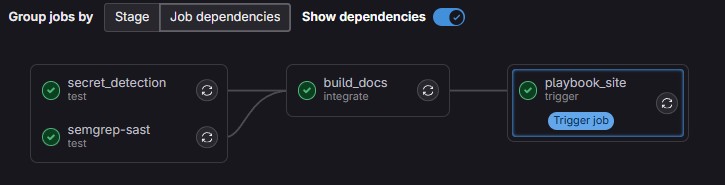
User-executed pipeline with job dependency chain.
-
CD triggers on host - When successful, the Watchtower agent on the host discovers a new image and redeploys the affected container with the new digest.
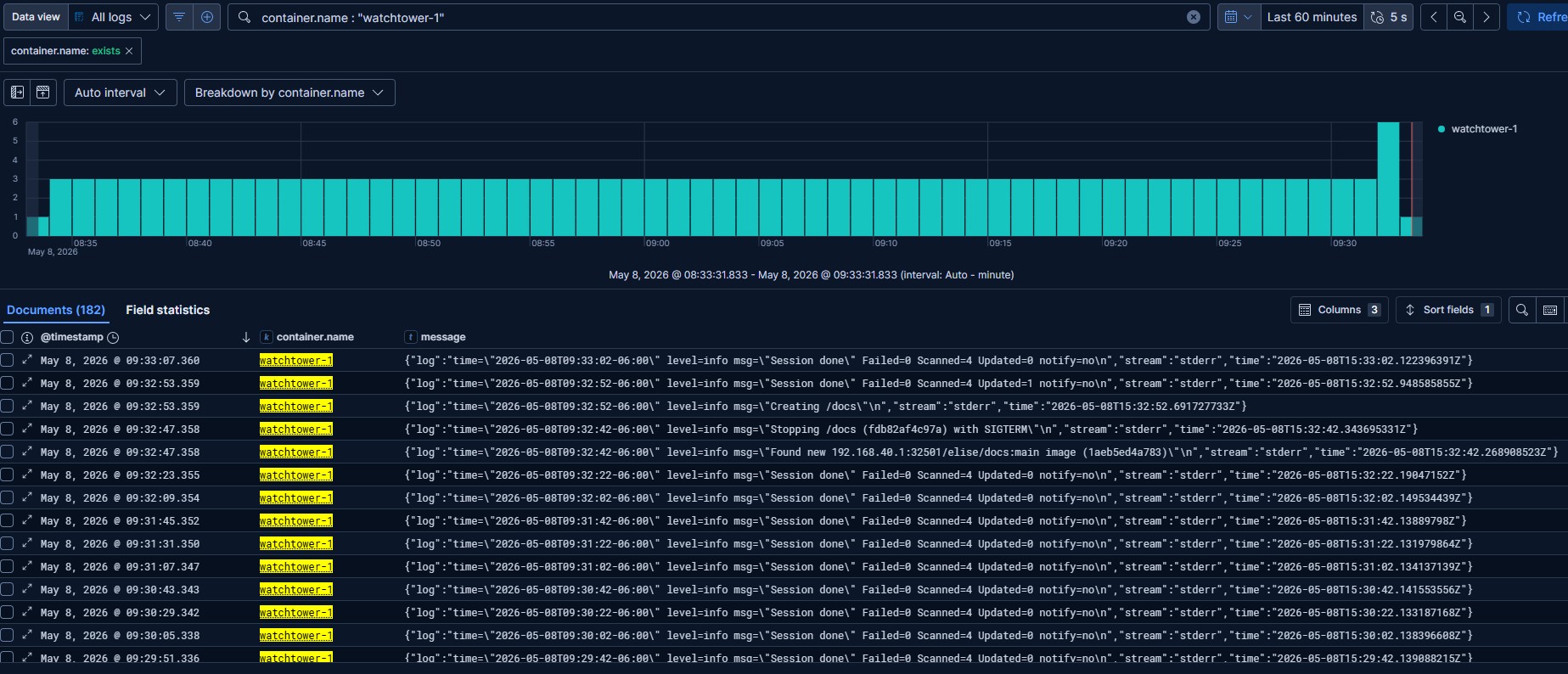
Watchtower deploys new container.
-
Observability tools report the data - Several Elastic beats are installed on all Docker hosts with plugins for enriching Docker metric and logging data. In addition, an array of system monitoring dashboards are available as well to enlighten the results.
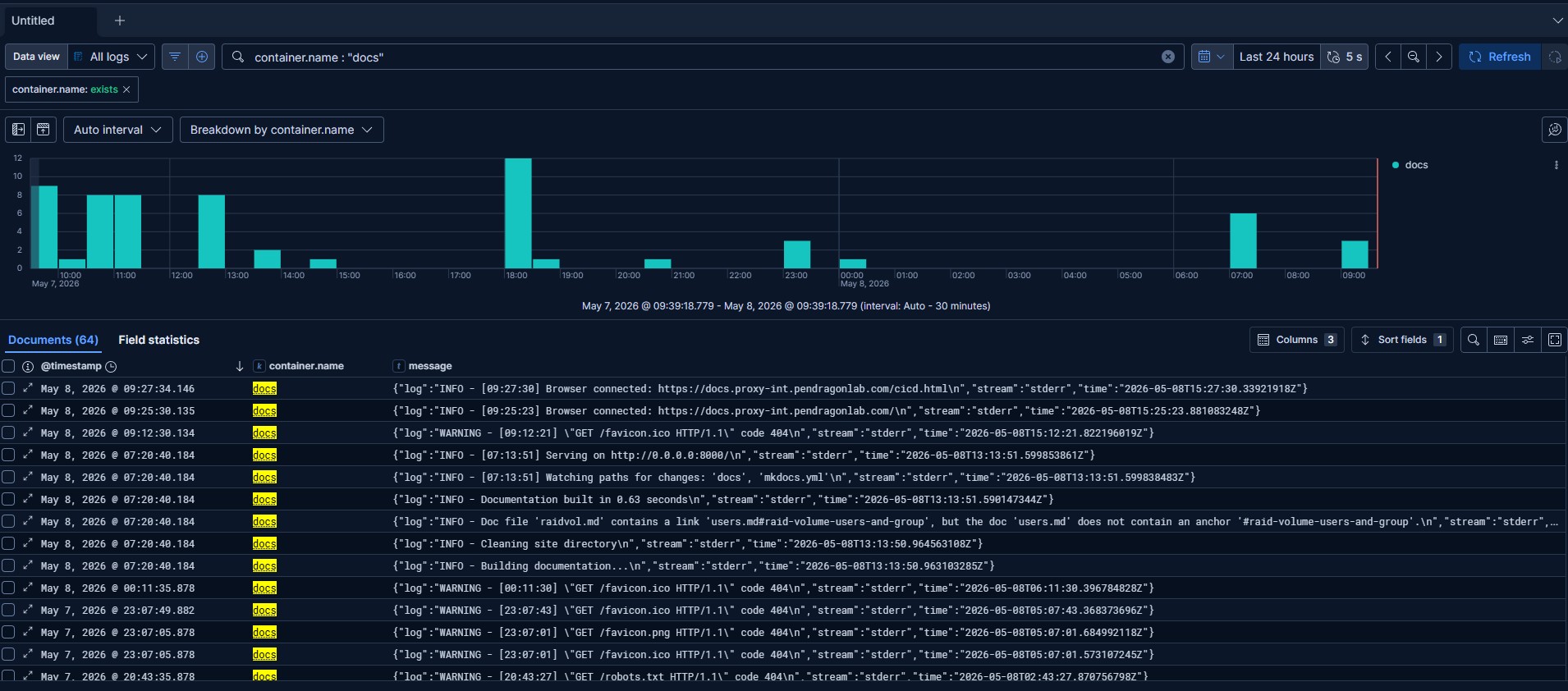
Use something like Filebeat key
container.nameto filter all logs to your container's name and see the runtime output.
- Project deployed successfully - Refresh the page.
custom ci
shared-cicd is offered with the caveat that a user can always define their CI jobs in their own projects, either in combination with the aforementioned or independently. Please note however the listed conventions.
-
All additional CI files must be in a directory named
ci/. -
Position of the custom CI should be after the include block for
shared-cicd.
    ---
    include:
      - project: elise/utils/shared-cicd
        ref: main
        file: .gitlab-ci.yml

      - local: ci/ssl_renew.yml
        rules:
          - if: |
              $ELISE_SCHEDULE_SSL_RENEW &&
              $CI_PIPELINE_SOURCE == "schedule"
Example
.gitlab-ci.ymlwith custom CI belowshared-cicd.